 7 min read
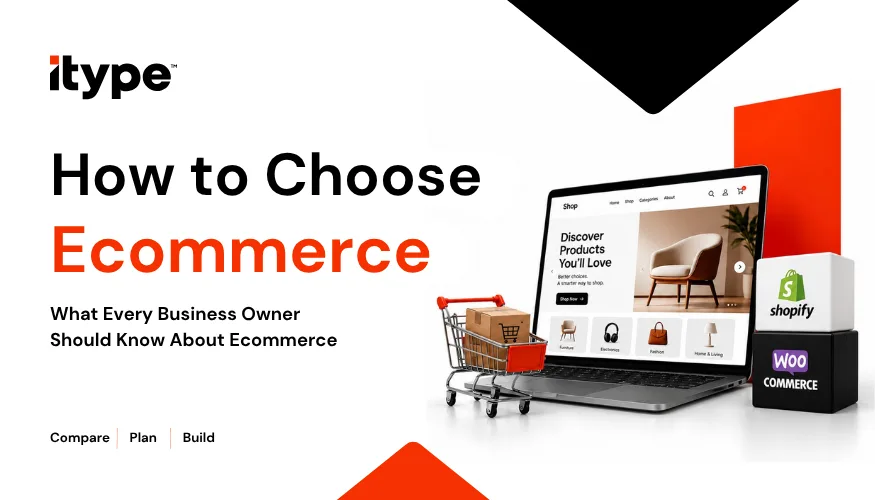
Most non-technical business owners pick an ecommerce platform by looking at pretty templates, and that is exactly how online stores end up being rebuilt within a year. Your platform is the engine of your shop, not just its shop window, and the wrong one can choke on local payments or heavy shipping volumes. By the end of this guide, you will have a simple framework to choose the right ecommerce platform before you spend time or money building on it.
Key Takeaways
- Your ecommerce platform is the engine of your store, not just a template, so choose it on capability, not looks.
- Understand hosted (SaaS) versus open-source: one trades control for convenience, the other convenience for control.
- Weigh seven factors: total cost, ease vs customisation, scalability, payments and logistics, SEO tools, security, and support.
- Follow the steps: audit needs, list must-have integrations, budget realistically, test the admin, and check real reviews.
- Avoid the traps: cheapest plan, overestimating your tech skills, hidden fees, restrictive builders, and design over speed.
What Is an Ecommerce Platform, Really?
An ecommerce platform is the software that runs your online store: product pages, cart, checkout, payments, orders, and inventory. It is more than a website builder that makes a nice homepage, and more than a stall on a marketplace like Amazon or Flipkart. A good-looking template is not a complete solution. Broadly, there are two types. Hosted platforms, also called SaaS, such as Shopify, manage the servers and updates for you. Open-source platforms like WooCommerce give you full control of the code but leave the upkeep to you.
| Factor | Hosted (SaaS) | Open-source |
|---|---|---|
| Example | Shopify | WooCommerce |
| You manage | Very little | Hosting, updates, security |
| Best for | Speed and simplicity | Control and flexibility |
| Cost shape | Monthly fee plus sale fees | Free software; you pay hosting |
Why Does Platform Choice Matter for a Small Business?
Because switching later is painful. Migrating a live store to a new platform costs money, risks your search rankings, and eats weeks you would rather spend selling. The platform also shapes your site speed, your mobile checkout, and your conversion rate, so a poor choice quietly loses sales every day. It decides how far you can scale, how well you control inventory, and how secure your checkout is. The smart move is to treat your platform as a core business driver, not a cheap utility you pick once and forget.
What Should You Look For in an Ecommerce Platform?
Judge every option against these seven factors, not the template gallery.
- Total cost of ownership. Look past the monthly plan. The real cost includes transaction fees on every sale, paid apps for features you assumed were built in, and any developer retainer. A plan that looks cheap at ₹2,000 a month can become your biggest expense once fees and add-ons stack up.
- Ease of use versus customisation. Drag-and-drop builders are fast and friendly but limited. Open-source platforms give you control but need technical help. A café launching a small store wants simplicity, while a growing D2C brand with unusual needs wants flexibility. Pick the balance your team can actually manage.
- Scalability and performance. Ask how the platform handles a sudden traffic spike during a festive sale, what uptime it promises, and whether pages load quickly on a phone. A store that slows down or crashes under load loses customers at the exact moment they were ready to pay.
- Payment gateways and logistics. For India this is make-or-break. Confirm the platform supports UPI, credit and debit cards, and cash on delivery, and that it connects to local shipping partners. A store that cannot take a customer’s preferred payment method loses that sale, however good it looks.
- Built-in SEO and marketing tools. You want custom meta tags, clean URL structures, automatic sitemaps and abandoned-cart recovery. These decide whether customers can find your store on Google, and whether you can win back the many shoppers who fill a cart and leave without buying.
- Security and compliance. Insist on SSL, PCI-DSS compliant payments and sensible data-privacy safeguards. A single breach costs customer trust you cannot easily buy back, and in a store handling card and UPI payments, security is not optional.
- Support and developer ecosystem. When something breaks at 9 pm before a sale, reliable support matters. Look for responsive customer service, clear documentation and a healthy app marketplace, so you are never left stuck while orders pile up.
How Do You Choose the Right Platform, Step by Step?
You do not need to compare everything. Work through these five steps in order.
1. Audit your catalogue and volumes. Note your product range, your sales channels and your expected order volumes, so you know the scale you are building for.
2. List your non-negotiable integrations. Write down must-haves like your regional payment processor and your inventory or ERP tool.
3. Calculate a realistic total budget. Include hidden app fees and setup costs, not just the headline monthly plan.
4. Test demos and free trials. Spend real time in the backend admin, because you will live there every day, not on the homepage.
5. Review case studies and forums. Check real merchant stories, community forums and platform stability reports before you commit.
What Mistakes Should You Avoid When Choosing a Platform?
A few avoidable errors catch out most first-time store owners:
- Choosing on the lowest monthly price alone, then paying far more in fees and add-ons.
- Overestimating your technical capacity and picking a complex open-source setup you cannot maintain.
- Ignoring hidden costs like payment-gateway transaction fees and mandatory third-party apps.
- Picking a restrictive builder that cannot grow as your catalogue expands.
- Prioritising decorative design over page speed and a smooth mobile checkout, where most sales are won or lost.
Your Platform Is an Engine, Not a Showroom
The core idea is simple: your ecommerce platform is the operational engine of your online store, not just a digital showroom. Choose it against real needs, cost, scale, payments, security, and support, and you avoid an expensive rebuild later. If you would like a hand weighing the options, ITYPE Designs has built stores on Shopify, WooCommerce and custom platforms since 2013.
Not sure which platform fits your store? ITYPE Designs offers a free 30-minute consultation where we look at your products, budget, and growth plans and help you choose the right ecommerce platform before you build. You can get in touch or explore our ecommerce and web development services, with no pressure and no jargon.
Frequently Asked Questions
A hosted platform like Shopify manages servers, updates and security for you, for a monthly fee. An open-source platform like WooCommerce is free software, but you handle the hosting and maintenance yourself, usually with a developer.
In India, a simple store often costs ₹40,000 to ₹1,50,000 to build, plus running costs like hosting or a monthly plan and payment-gateway fees of roughly 2% per sale. Scope is what moves the number.
Yes, but it takes planning. You have to transfer products, customers and orders carefully and set up redirects, or you risk losing your search rankings. Treat a migration as a project, not an afternoon task.
Not for hosted platforms like Shopify, which are built for non-technical owners. Open-source or custom stores usually need a developer, or an agency like ITYPE Designs, to set up and maintain properly.
Most major platforms can rank well when set up properly. WooCommerce on WordPress gives the most control over content and URLs, while Shopify is capable and simpler. Good SEO depends far more on setup than on the platform’s name.